Changing your password: Difference between revisions
Jump to navigation
Jump to search
Desy Wahyuni (talk | contribs) Created page with '# Log in as a Clicklaw contributor. # Click “Change my password” on the menu bar from anywhere within the contributor interface. <br /><br />[[File:Changing_your_password_1.j…' |
(No difference)
|
Revision as of 04:52, 22 April 2010
- Log in as a Clicklaw contributor.
- Click “Change my password” on the menu bar from anywhere within the contributor interface.
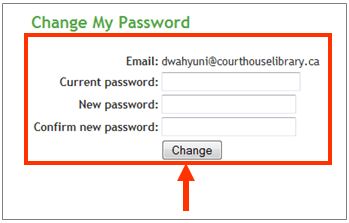
File:Changing your password 1.jpg - Enter your current password and your new one, and then click the Change button.