Adding a new service
Through the Clicklaw contributor site, you can add a service that is from your organization.
- Log in as a Clicklaw contributor.
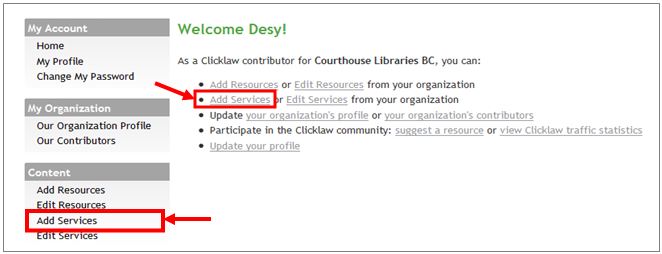
- Click “Add services” in the left menu bar of the contributor site. This brings up the “Add a service” form.
- Describe your service by entering the service name, URL (the website address), and some other details.
[[File:]] - Categorize your service based on categories from the Clicklaw taxonomy and how people can access it.
[[File:]]
- If your service has one or more physical location(s) where clients can go for in-person services, proceed to enter at least one service location information.
- If your service is provided over the phone or through a website only, proceed to enter phone/web only information.
